Meta now switches on several Advantage+ creative enhancements by default, and it told advertisers it would add product browsing to ads that were already running from October 28. Before the Black Friday ramp, check every live ad, turn off anything that can rewrite a price, a claim or where the tap lands, and lock the settings so November stays comparable.
Then test what’s left on MER (marketing efficiency ratio: total revenue divided by total marketing spend), not on the conversions Meta credits to its own features.
Key takeaways
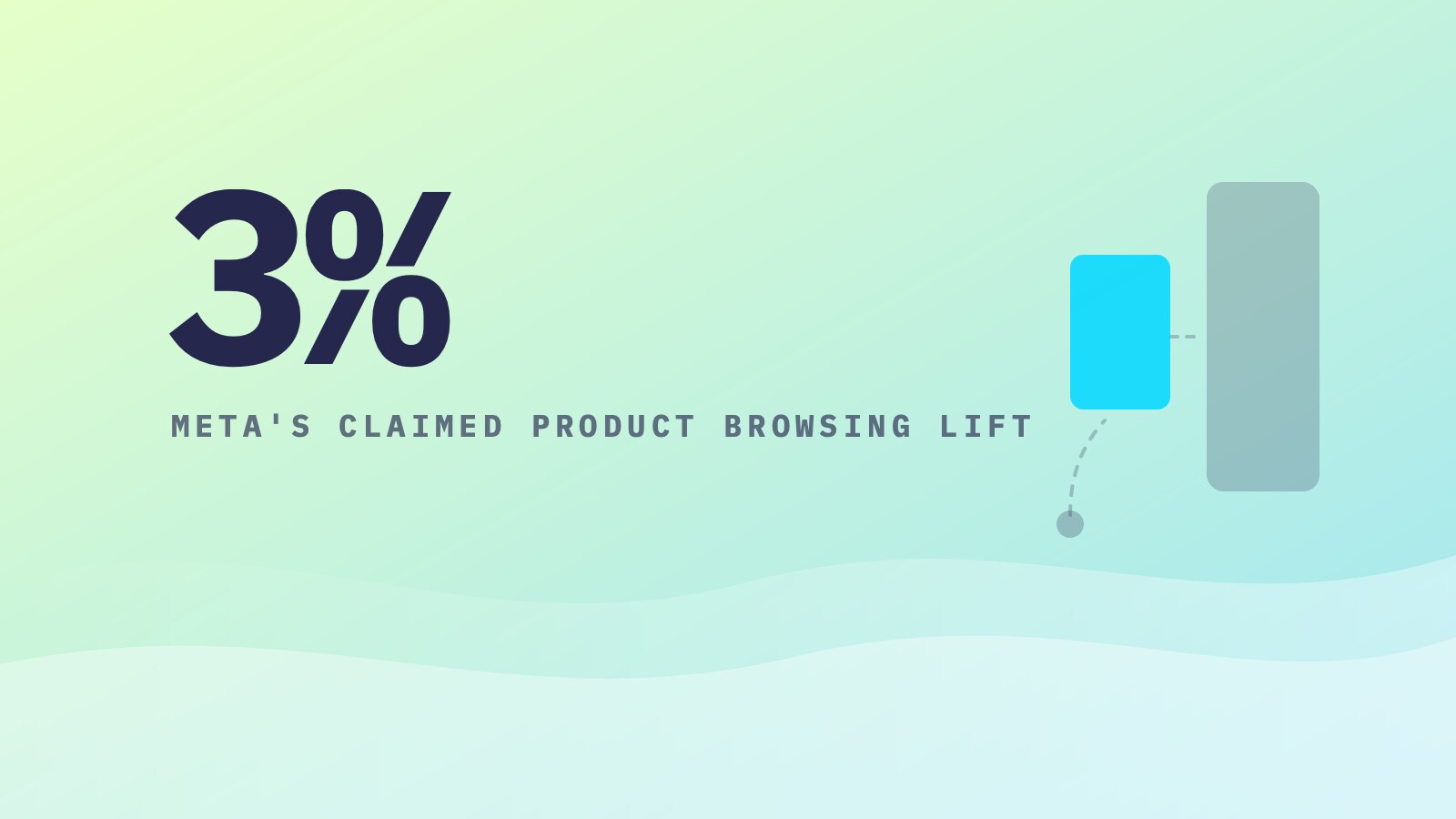
- Meta told advertisers it would turn on product browsing in existing ads from October 28, 2026, citing 3% more conversions in its own August test across about 117,700 advertisers. The notice doesn’t say which conversions were counted, or where.
- Text improvements, product tags and other Advantage+ creative enhancements can start on by default, and some can only be turned off in Advanced preview. You’re already responsible for AI output you publish.
- Audit and lock your settings before the ramp. Afterward, judge each enhancement on MER and new customer revenue against a holdout.
What Advantage+ Creative Enhancements Are, and Which Ones Start On
Advantage+ creative enhancements are automatic changes Meta can make to an ad’s images, video, text and destination when it predicts better performance. Meta’s help center page on Advantage+ creative lists 31 of them and says some may be turned on by default.
The documented defaults:
- Text improvements, which moves phrases from your copy into overlays, footers and headlines, is on by default when you build an ad.
- Add product tags may be on by default for traffic and sales campaigns with an eligible catalog.
- Reveal details over time, Show spotlights and Show summaries may be on by default for single image or video ads. Show summaries writes an AI summary of your selling points.
Others change what a shopper reads. Enhance CTA, which works on the call to action (CTA) button, can add "X% off" or "Free shipping" in Stories. Dynamic overlays put catalog prices in a label on the ad. Translations rewrite your copy into other languages.
The Review defaults tab in the ad creation flow lists every default-on creative feature in seven groups, from translations to personalized destinations. Open it on your next ad and write down what it shows.
Product Browsing Is the Advantage+ Default That Moves the Click
Product browsing changes where a tap goes. Meta describes it as a personalized browsing experience with product details and offers on Facebook and Instagram, and notes it may send people there before your website.
It used to be something you switched on. In a notice to advertisers, reproduced by PPC Land on October 15, Meta wrote: "Starting October 28, 2026, we’ll add product browsing to your existing ads." The notice’s opt-out button only worked before the 28th. After that, it’s a per-ad setting in Advantage+ creative and Destination.
Check both places. In Sales campaigns with Website as the conversion location, product browsing also sits under Personalized destinations, next to Shops, optimize website destination and browser add-ons.
Your landing page, offer and reviews are no longer the first screen. Your pixel and analytics only run on your site, so a shopper who browses Meta’s page and leaves never shows up in your data. Expect link clicks in Ads Manager and sessions from Meta in your analytics to drift apart. The page shows product details and can suggest other products, so if your catalog lags the site, a wrong price can be the first thing a shopper sees.
If your landing page does the selling, turn product browsing off until you’ve tested it.
Read Meta’s Advantage+ Enhancement Numbers Before You Trust Them
Meta backs the product browsing switch with one number: "On average, businesses saw 3% more conversions with in-app product browsing experiences compared to campaigns that didn’t use product browsing." Per the footnote PPC Land published, the test ran August 6 to 21, 2026, across about 117,700 advertisers in at least three verticals, including ecommerce, retail and consumer packaged goods, with more than 99% confidence.
It’s Meta measuring conversions Meta attributes. The notice doesn’t name the conversion event or attribution window, doesn’t say whether conversions were counted on the advertiser’s site or inside Meta’s apps, and says nothing about cost or revenue. An average also doesn’t tell you how many advertisers did worse.
Meta’s other AI claims work the same way. Its Q3 2026 prepared remarks say nearly 10 million advertisers used its generative AI creative tools in the quarter. Adoption isn’t incremental revenue, and a conversion Meta credits isn’t a sale that wouldn’t have happened anyway. That gap is what an incrementality test measures.
Write down your baseline this week: Meta link clicks, landing page views, sessions from Meta in your own analytics, orders and MER.
Who Is Responsible When Advantage+ Creative Enhancements Get It Wrong
You are, and that’s already in writing. Meta’s Ad Creative Generative AI Terms, in place since May 6, 2024, cover features including text generation and text improvements. If you use or publish any AI output, you are "solely responsible for evaluating the Output and determining its accuracy, suitability, completeness and the appropriateness" of running it.
Meta has proposed going further. Adweek reported on October 22 that under Meta’s revised Commercial Terms, advertisers would be "solely responsible" for whatever its AI creates, including enhancements Meta applies without being asked. One agency told Adweek it had pulled live ads to strip out sitelinks, translations and AI images that Meta’s tools added.
Those terms were due October 30. Meta moved the date to November 20, Reuters reported, then said on October 28 that its consultation could run past November 20, in which case it would delay again. "Until then our existing terms remain in place," Meta said.
The practical read doesn’t depend on the final wording. A discount you aren’t running or a "Free shipping" you don’t offer runs under your brand. Have your own counsel read the final terms, and for anything priced, regulated or claim-heavy, turn the text-writing enhancements off.
How to Audit Advantage+ Creative Enhancements Before Black Friday
Do this once now, before the Q4 ramp peaks, then make it part of every launch.
- Start with the account setting. In Advertising settings, under Creating ads, open Creative features and uncheck Test new creative features if your account shows it. Opted-in accounts can have features still in testing applied to eligible campaigns.
- Work through live ads, biggest spend first. Open an ad and click Edit. The Advantage+ creative section shows how many enhancements are on.
- Check Advanced preview too. Meta says some enhancements can only be turned off there.
- In the ad’s Destination section, open Personalized destinations. Turn product browsing off where the landing page does the selling, and check optimize website destination and Shops.
- Bulk edit by format. Meta lets you change enhancements across many ads at once, but only when every selected ad has the same ad format.
- Add Review defaults to your launch checklist. Any new ad can start with Meta’s defaults on, so a one-time sweep goes stale with the next launch.
- Log what you changed and when, then leave it alone through Cyber Monday. If results move, you’ll know who moved them, and your after action report compares like with like.
Want it handled? That’s the account work our paid media team does.
Which Advantage+ Creative Enhancements to Keep, Test or Turn Off
Our default: most Advantage+ creative enhancements end up off. In nearly every account we run, they cause more problems than they solve. We still test them in every account before we make that call, because accounts differ and the one that works is worth finding.
Turn off before the sale
Anything that writes or rewrites what a shopper reads: text improvements, Enhance CTA, Show summaries, Enhance media text, and translations unless you sell in those languages. Turn off image generation and background generation wherever the product has to look exactly as it ships. If catalog prices lag your site during a sale, turn off dynamic overlays and standard labels too.
Brightness and contrast goes off as well. It changes branded creative the brand approved, and the brand never approved Meta’s version.
Test after the peak
Product browsing, music, animation and video effects. They can help, but they change the experience enough that you want a clean read, not a Cyber Week guess. Product browsing is the best candidate in accounts with a clean catalog and a broad range.
Our favorite to test is add catalog items, which shows products from your catalog under your branded creative. The creative the brand approved stays as it is, and the products sit below it.
Lowest risk, still tested
Flex media and highlight carousel card change layout, not the offer or the creative itself. They’re the safest of the set, but they go through the same test before they stay on.
How to Test Advantage+ Creative Enhancements on MER, Not Platform Conversions
Test one enhancement at a time, after the peak, against a holdout. A test that runs through the ramp tells you more about Black Friday than about the feature.
- Split comparable campaigns or ad sets, enhancement on in one and off in the other, with budgets, audiences and creative matched. For a cleaner read, split by region, the way a geo holdout works.
- Run at least two full weeks so weekday swings even out.
- Read site-side numbers first: sessions from Meta per link click, on-site conversion rate, orders and new customer revenue.
- Then read the account: MER and contribution margin, which is revenue minus the variable costs of each order, including product, shipping and ad spend.
- Keep the enhancement only if it moves new customer revenue or MER at the account level. A lift in Meta-attributed conversions with flat orders is credit, not growth.
It’s the same rule as the rest of an Advantage+ account structure: let automation handle delivery, run the business on MER, and send Meta accurate first-party conversion data so it learns from sales you keep.
Frequently Asked Questions
What are Advantage+ creative enhancements in Meta ads?
They are automatic changes Meta can make to an ad’s images, video, text and destination when it predicts better performance. Examples include text improvements, music, animation, translations, product tags and product browsing. Several use generative AI. Some are on by default, and Meta says you can turn them off at any time in Ads Manager.
How do I turn off Advantage+ creative enhancements on existing ads?
In Ads Manager, open the Ads tab, select the ad and click Edit. In the Advantage+ creative section, click Edit and switch off what you don’t want. Check Advanced preview too, since some enhancements can only be turned off there. For many ads at once, use bulk edit on ads that share one format.
What is Meta product browsing, and should I turn it off?
Product browsing can show shoppers an in-app page with product details, offers and suggestions on Facebook or Instagram before they reach your website. Meta told advertisers it would turn it on in existing ads from October 28, 2026. Turn it off where your landing page does the selling, then test it after the holiday peak on orders and MER.
Am I responsible if Meta’s AI changes my ad?
Yes, in practice. Meta’s Ad Creative Generative AI Terms already say you are solely responsible for evaluating AI output you publish. Revised Commercial Terms extending this to enhancements Meta applies on its own were due October 30, 2026, then delayed. Either way, a wrong price or claim runs under your brand, so review AI-adjusted ads before they run.
Not sure what Meta switched on in your account before the holiday ramp? Reach out to one of our experts and we’ll go through the settings with you.
Sources
- Meta Business Help Center, "About Advantage+ creative," accessed October 2026
- Meta Business Help Center, "Turn off Advantage+ creative enhancements in Meta Ads Manager," accessed October 2026
- Meta Business Help Center, "Review default-on creative features in Meta Ads Manager," accessed October 2026
- Meta Business Help Center, "About personalized destinations in Meta Ads Manager," accessed October 2026
- Meta Business Help Center, "Enable text improvements in Meta Ads Manager," accessed October 2026
- Meta Business Help Center, "Opt in to or out of testing new creative features in Meta Ads Manager," accessed October 2026
- Meta Business Help Center, "Bulk edit Advantage+ creative enhancements in Meta Ads Manager," accessed October 2026
- Meta, "Ad Creative Generative AI Terms," 2024
- PPC Land, "Meta will turn on product browsing in existing ads on October 28," 2026
- Adweek, "Advertisers Pull Meta Ads That Had Unwanted AI Glow-ups," 2026
- Reuters via Investing.com, "Meta to delay new commercial terms criticised by publishers, advertisers," 2026
- Reuters via Investing.com, "Meta delays indefinitely its rollout of new commercial terms after publishers’ concerns," 2026
- Meta Platforms, "Q3 2026 Prepared Remarks," 2026